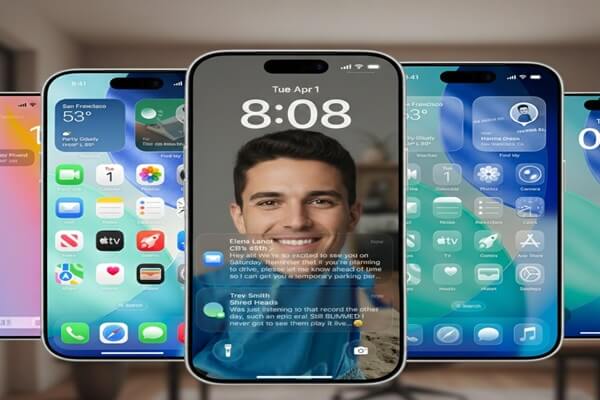
Apple has officially released the iOS 26.2 update for iPhone users, bringing several useful improvements across the system. The new update focuses on better customization, improved usability, and small but meaningful feature additions in apps like Apple Music, AirDrop, Podcasts, and Reminders.
The update is now available for supported iPhone models and builds on the design and feature changes introduced earlier with iOS 26.
Lock Screen Gets More Control with Liquid Glass Changes
One of the most noticeable updates in iOS 26.2 is the improvement to the Lock Screen Liquid Glass design. Apple has added new options that allow users to reduce or adjust the transparency of lock screen elements, including the clock.
The Liquid Glass look was introduced to give iOS a modern, glass-like appearance. However, some users found it difficult to read in certain lighting conditions. With iOS 26.2, Apple now allows users to tone down the effect, making the lock screen easier to view without completely removing the design style.
This change shows Apple’s focus on user feedback and accessibility.
Apple Music Gets Offline Lyrics and Playlist Improvements
Apple Music has received several updates in iOS 26.2. The most useful feature is offline lyrics support. Users can now view song lyrics even when they are not connected to the internet, as long as the song is downloaded on their device.
In addition, Apple has added a new Favourite Songs playlist, which automatically collects tracks marked as favourites. This makes it easier for users to quickly access their most-played and liked songs.
These changes improve the overall music listening experience, especially for users who travel or have limited internet access.
AirDrop Becomes Safer with One-Time Codes
iOS 26.2 also improves AirDrop security. When sharing files with someone who is not in your contacts, users can now use a one-time verification code to confirm the connection.
This feature adds an extra layer of protection and helps prevent accidental sharing with nearby unknown devices. It is especially useful in public places like airports, offices, or events.
Reminders App Gets Alarm Support
Apple has added a helpful feature to the Reminders app in iOS 26.2. Users can now set alarms inside reminders, ensuring that important tasks are not missed.
There is also a new Urgent option, which allows reminders to bypass Silent mode or Focus settings. This feature is useful for time-sensitive tasks such as meetings, deadlines, or important calls.
Podcasts and Games Apps See Improvements
The Podcasts app now includes auto-generated chapters, making it easier to navigate long podcast episodes. Users can quickly jump to different sections and also see clickable links related to content mentioned in the episode.
The Games app has also been refined with better library organization and improved controller support. This enhances the gaming experience for users who connect external game controllers to their iPhones.
Enhanced Safety Alerts and System Updates
In select regions, iOS 26.2 introduces enhanced safety alerts for emergency situations such as severe weather or natural disasters. These alerts may include additional information like maps or official guidance links.
Apple has also made several system-level improvements, including smoother animations, better app stability, and minor performance enhancements across the operating system.
CarPlay users will notice small refinements as well, including improved menu behavior and message display options.
iOS 26.2 Supported Devices and Availability
The iOS 26.2 update is available for iPhones that support iOS 26. This includes models starting from the iPhone 11 series and newer.
Users can install the update by following these steps:
-
Open Settings
-
Go to General
-
Tap Software Update
-
Select Download and Install
Apple recommends backing up the device before installing the update.
Final Thoughts
The iOS 26.2 update may not bring major visual changes, but it adds several practical improvements that enhance everyday iPhone use. From better lock screen customization to offline lyrics, safer AirDrop sharing, and improved reminders, the update focuses on usability and convenience.
Apple continues to refine iOS 26 with small but important updates, showing its focus on long-term software quality. iPhone users are encouraged to install iOS 26.2 to take advantage of these latest features and improvements.
More updates are expected in the coming months as Apple continues to develop future versions of iOS.
Disclaimer:
This article is based on official software updates and publicly available information at the time of writing. Feature availability may vary by region, device model, or software version. Apple may change or update features in future releases.